eSIM and internet access
Thursday, October 15, 2026 •
Since Switzerland is in Europe, but not part of the European Union, mobile internet is billed differently for roaming. But thanks to eSIMs, you can order a time-limited plan.
It works, but you’ll be surprised, how:
- I didn’t get an IPv6 address at all - this means, with a pure eSIM roaming plan, you can only access the good old IPv4 based internet. Hopefully everybody implements dual stack…
- Here’s a list of IPv4 addresses, I got (well, maybe not directly, but I used these addresses to outside - so it might have been the address of a (cg)NAT)
- 94.156.65.106 (BG, Bulgaria)
- 193.222.98.231 (US, United States, Virginia)
- 46.255.75.178 (GB, United Kingdom; AS8943 Jump Networks Ltd.)
- 91.92.197.162 (BG, Bulgaria; AS34224 Neterra Ltd.)
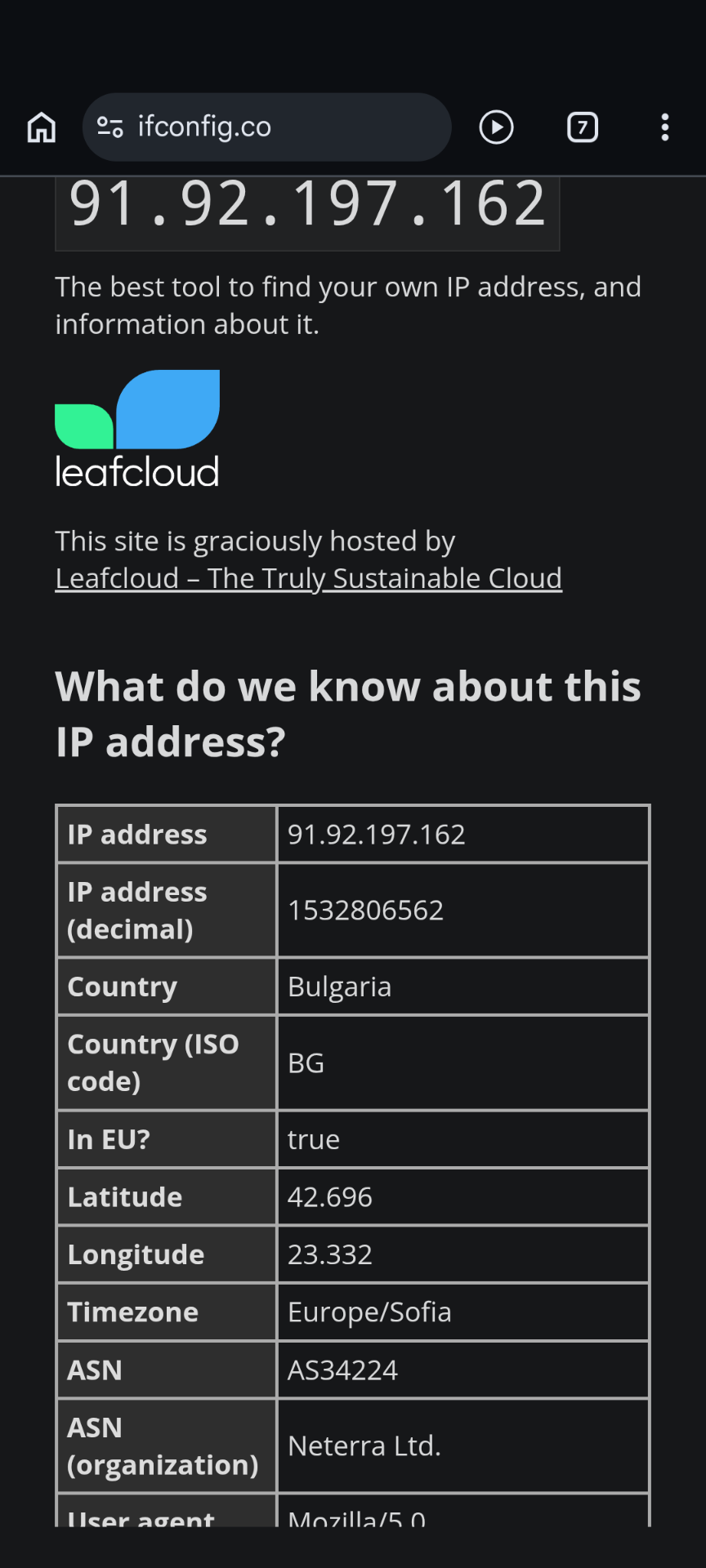
You can get information about IP address on ifconfig.co. But from the list above, you see: No Switzerland, but all around the world.
The common information is, that all IP addresses above belong to an network operator from Israel - another country. Apparantly I received an eSIM from Sparks.
Comments
No comments yet.Leave a comment
Your email address will not be published. Required fields are marked *. All comments are held for moderation to avoid spam and abuse.